PROJECT STUDY
Text-to-SQL Copilot
Plain questions. Governed SQL. Every query shown.
An analytics copilot that answers Indonesian or English business questions through a governed semantic layer, refuses unsafe SQL and shows the query behind every number.
Explore the build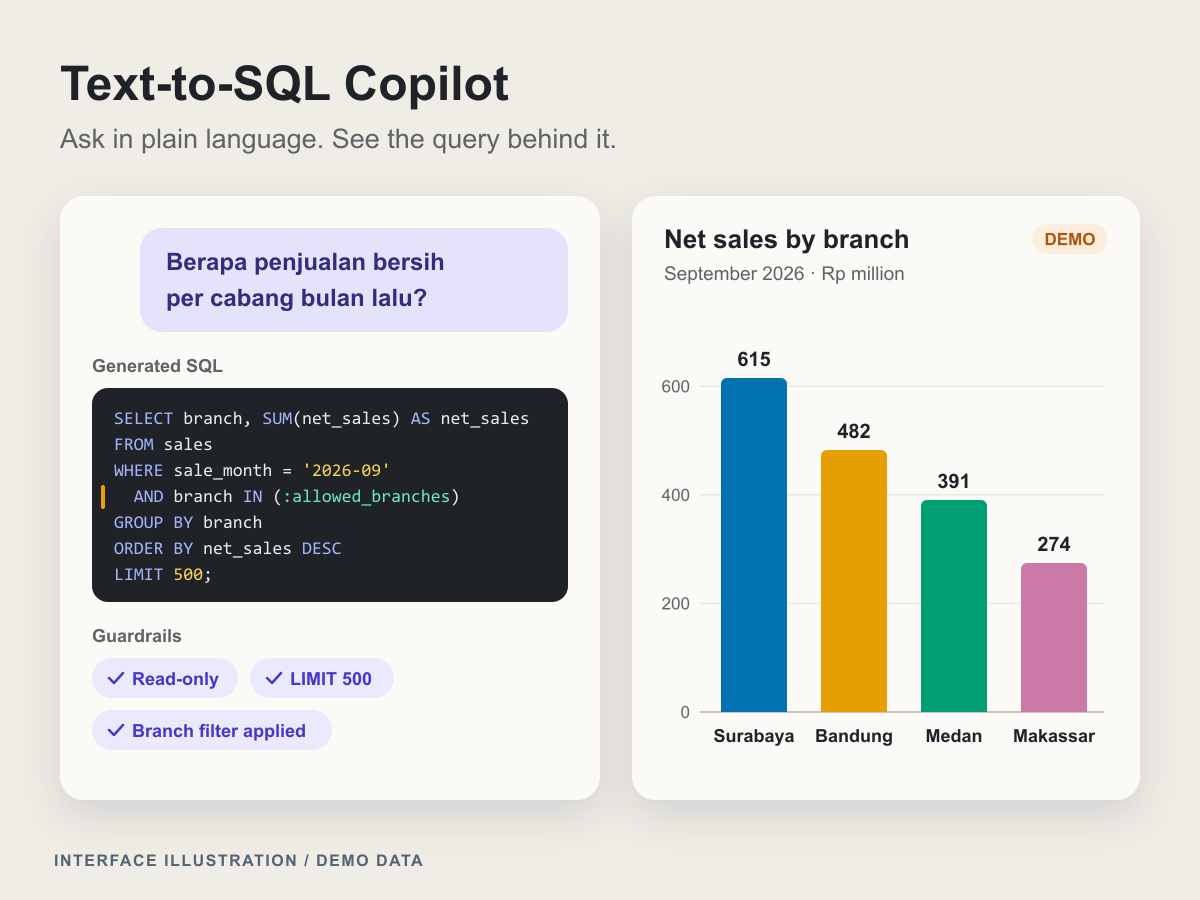
At a glance
- Industry
- Retail and distribution
- Capabilities
- 7
- Technologies
- 9
- Year
- 2026
The challenge
Business users wait days for an analyst to answer routine questions.
A branch manager who asks "Berapa penjualan bersih per cabang bulan lalu?" (What were net sales per branch last month?) joins a queue, even though the data already sits in the warehouse.
Letting a language model write SQL directly is risky. A wrong join can double-count sales, the same metric can mean something different each time it is asked, a user can see rows they should not see, and an unbounded query can scan the whole warehouse. A useful copilot has to be fast and governed at once, with one definition per metric and the query behind every number open to inspection.
What we built
Text-to-SQL Copilot is an analytics workspace that answers business questions through a governed semantic layer, with DuckDB as the warehouse and every safety rule enforced in code.
A governed semantic layer
Entities, dimensions, measures, join paths, time grains, metric owners and Indonesian and English synonyms are defined once in YAML, so net revenue always means gross sales minus returns
A deterministic planner with a model adapter
A rule-based planner compiles common metric questions straight from the semantic layer without an API key, and a language model adapter, given only the relevant slice of the schema, writes SQL for the rest
Guardrails on the syntax tree
SQLGlot parses every statement, which must be a single SELECT over allow-listed tables and columns, with a mandatory LIMIT and no unbounded cross joins
Row-level security as a rewrite
A branch manager's scope is injected into the syntax tree, so every query reads only that manager's branch
Cost and failure control
A cost guard checks the EXPLAIN plan before execution, every query runs with a timeout, and an error triggers up to two self-correction retries
A workspace that shows its work
Each answer brings the result table, a chart suggestion, a plain-language explanation and the SQL with its lineage of metrics and tables, beside an editable SQL panel with highlighting, guardrail messages and an ERD of the semantic model
Execution-accuracy evaluation
A synthetic question set with gold SQL scores the system by comparing result sets, and the rule-based planner's coverage is reported on its own
A governed semantic layer
Entities, dimensions, measures, join paths, time grains, metric owners and Indonesian and English synonyms are defined once in YAML, so net revenue always means gross sales minus returns
A deterministic planner with a model adapter
A rule-based planner compiles common metric questions straight from the semantic layer without an API key, and a language model adapter, given only the relevant slice of the schema, writes SQL for the rest
Guardrails on the syntax tree
SQLGlot parses every statement, which must be a single SELECT over allow-listed tables and columns, with a mandatory LIMIT and no unbounded cross joins
Row-level security as a rewrite
A branch manager's scope is injected into the syntax tree, so every query reads only that manager's branch
Cost and failure control
A cost guard checks the EXPLAIN plan before execution, every query runs with a timeout, and an error triggers up to two self-correction retries
A workspace that shows its work
Each answer brings the result table, a chart suggestion, a plain-language explanation and the SQL with its lineage of metrics and tables, beside an editable SQL panel with highlighting, guardrail messages and an ERD of the semantic model
Execution-accuracy evaluation
A synthetic question set with gold SQL scores the system by comparing result sets, and the rule-based planner's coverage is reported on its own
How it works
Retrieve the relevant slice
Each question, in Indonesian or English, is normalised, and BM25 retrieval over the semantic layer finds the measures, dimensions, join paths and synonyms it needs.
Compile or generate SQL
Common metric questions compile deterministically from the semantic layer, with no model call. Other questions go to the language model adapter together with only the retrieved slice of the schema.
Validate and rewrite
SQLGlot parses the statement and enforces the single-SELECT, allow-list and cross-join rules, then injects the LIMIT and the row-level filter for the user's role. The cost guard reads the EXPLAIN plan before anything runs.
Run, retry and explain
The query runs with a timeout, and an error goes back for up to two self-correction retries. The answer returns with its table, chart suggestion, explanation, SQL and lineage, and guardrail messages say which rules acted.
Engineering insights
Every safety property lives in code that can be tested, not in instructions to a model.
Stack by layer
- Frontend
- React
- TypeScript
- Vite
- Backend
- Python
- FastAPI
- Pydantic
- SQLGlot
- Data
- DuckDB
- YAML semantic layer
- AI
- BM25
- Rule-based SQL planner
- LLM adapter
- Infrastructure
- uv
- pytest
- Ruff
- Biome
Guardrails read the syntax tree, not the text
String checks are fooled by comments, quoting and dialect quirks, so every statement is parsed by SQLGlot and refused unless it is a single SELECT over allow-listed tables and columns. DELETE, DROP, multiple statements and columns outside the allow-list are rejected before anything runs
Row-level security is a rewrite, not a prompt
A branch manager's scope is injected into the syntax tree after validation, so whatever SQL the planner or the model produced, it reads only that manager's branch
One definition per metric
Measures such as net revenue are defined once in the semantic layer, each with an owner, and the planner compiles common questions from those definitions, so the same question returns the same number whoever asks
A LIMIT caps rows returned, not rows read
Summing a year of sales reads every line of that year whatever the LIMIT says, so the mandatory LIMIT protects the browser while a cost guard on the EXPLAIN plan protects the warehouse. A timeout catches what an estimate misses
Execution accuracy, not string matching
Candidate SQL passes when its result set matches the gold query's, so equivalent SQL written differently still counts as correct. Reporting the planner's coverage on its own shows how many questions the copilot answers without a model
Design system
Analyst paper is quiet and data-first, like an analyst's working paper: warm paper and ink keep the table and its SQL in front, indigo marks the next action, and amber is kept for guardrail messages.
Colour palette
- Paper
#fbfaf7Page, panel and table background - Ink
#1f2328Body text, figures and SQL - Muted ink
#59636eSecondary text, labels and lineage notes - Accent indigo
#4338caPrimary actions and links - Guardrail amber
#b45309Guardrail notices, such as capped rows, a branch-scoped result or a refused query - Error red
#b42318Failed queries and errors
Colour
Paper, ink and muted ink carry the content. Accent indigo marks actions, guardrail amber means a guardrail acted and error red means a query failed, so the two never read as the same warning
Charts
Every chart uses the colour-blind-safe Okabe-Ito palette, so series stay distinct for readers with colour-vision deficiencies
Typography
IBM Plex Sans for the interface and IBM Plex Mono for SQL, bundled through @fontsource, so code and prose never blur together and no font CDN is needed
Components
A question box, result table, chart, editable SQL panel with highlighting, lineage list, guardrail messages and an ERD view of the semantic model
Where this fits
Teams that wait on analysts for routine numbers can start from the same pattern: governed metric definitions, guardrails enforced in code and answers that show their SQL. Explore our AI solutions, analytics dashboards and retail work, or talk to us about your data.
KEEP EXPLORING
Another problem. A different approach.
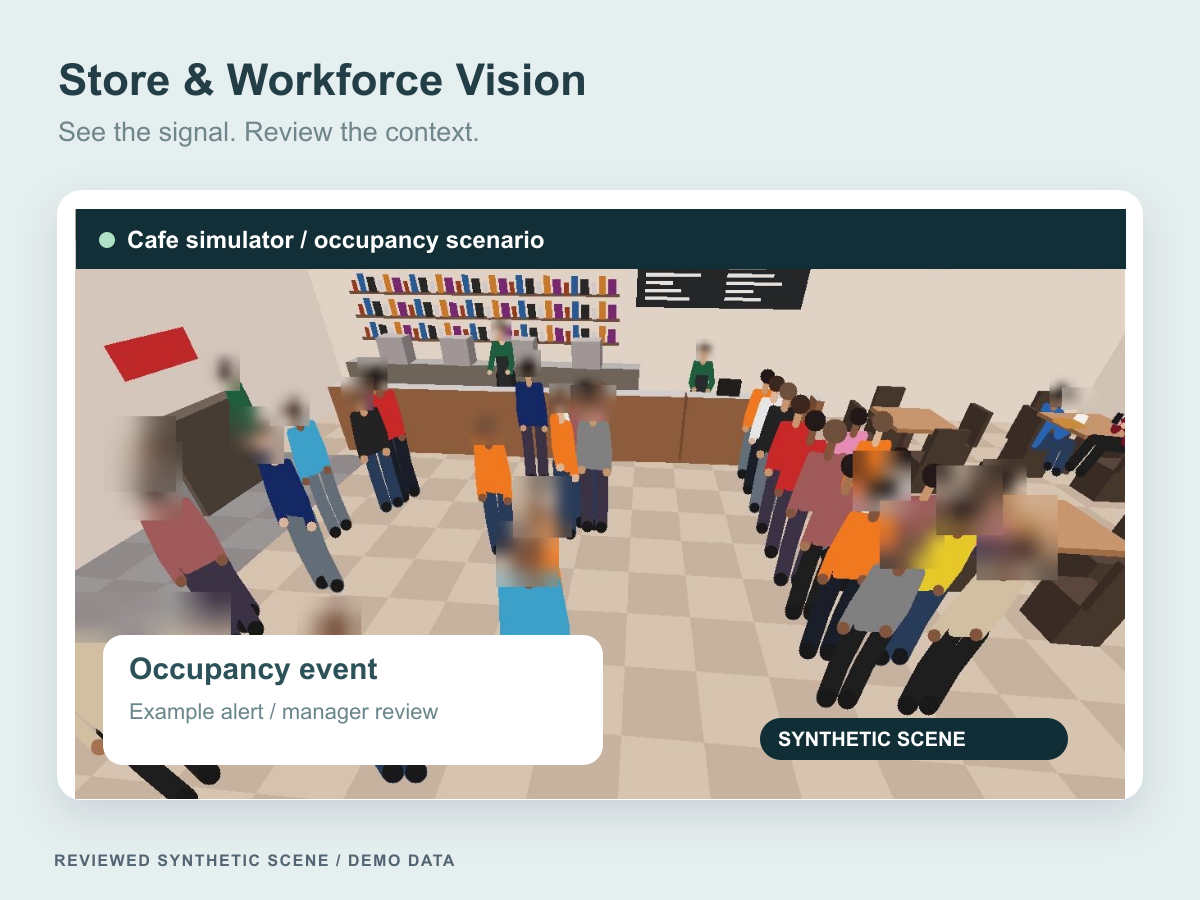
Store & Workforce Vision
A privacy-aware store operations platform for occupancy, queue and zone events, with configurable alerts, manager review and aggregate reporting.
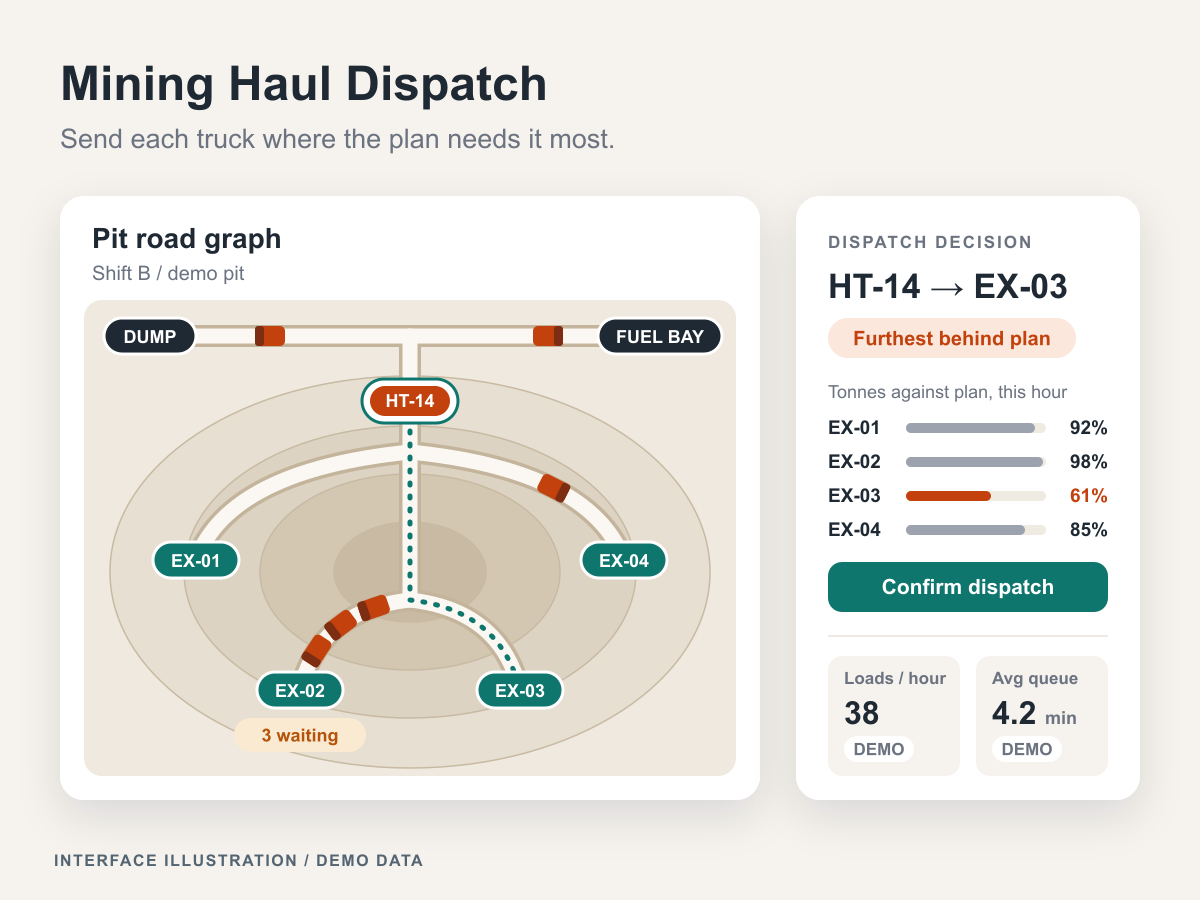
Mining Haul Dispatch
Haul dispatch for open-pit mines: a linear program plans haul flows inside the coal-quality band, and each truck goes to the excavator furthest behind plan, with the reason logged.
Let’s connect the dots
Let's put these ideas to work.
Share a process, product, or problem you want to improve. We will work through the possibilities together.